A design system without documentation is just a collection of files no one agrees on how to use. A living style guide transforms those files into a shared language your designers, engineers, and content writers can work from every day. This guide covers what design system documentation needs to include, which tools support it in 2026, and how to keep it current as your product evolves.
What Is a Living Style Guide?
A living style guide is design system documentation that stays synchronized with the codebase and design files rather than going stale between update cycles. It shows working components alongside their usage rules, accessibility requirements, and implementation notes.
Living Style Guide vs. Static Style Guide
A static style guide is a document created at a point in time and saved as a PDF, a Figma file, or a wiki page. It describes how things should look but does not automatically reflect how they actually look in the product today. Every time a component changes, someone has to manually update the documentation. Most teams never do.
A living style guide connects documentation to source. When a developer updates a button component, the documentation reflects that change automatically, or at minimum requires a single commit to stay current. This keeps design intent and production reality from drifting apart.
Why Product Teams in 2026 Need Living Documentation
Modern product teams ship fast. A component library that updates every two weeks cannot rely on documentation maintained quarterly. Static documentation creates gaps, contradictions, and debates about which version is correct. Those debates slow teams down and erode trust in the system itself.
Teams that invest in living documentation report fewer design inconsistencies, faster onboarding, and fewer handoff misunderstandings between design and engineering.
Core Components Every Design System Document Needs
Strong design system documentation does more than catalog UI components. It communicates the reasoning behind decisions so teams make consistent choices even when the documentation does not explicitly cover a situation.
Design Tokens: The Atomic Layer
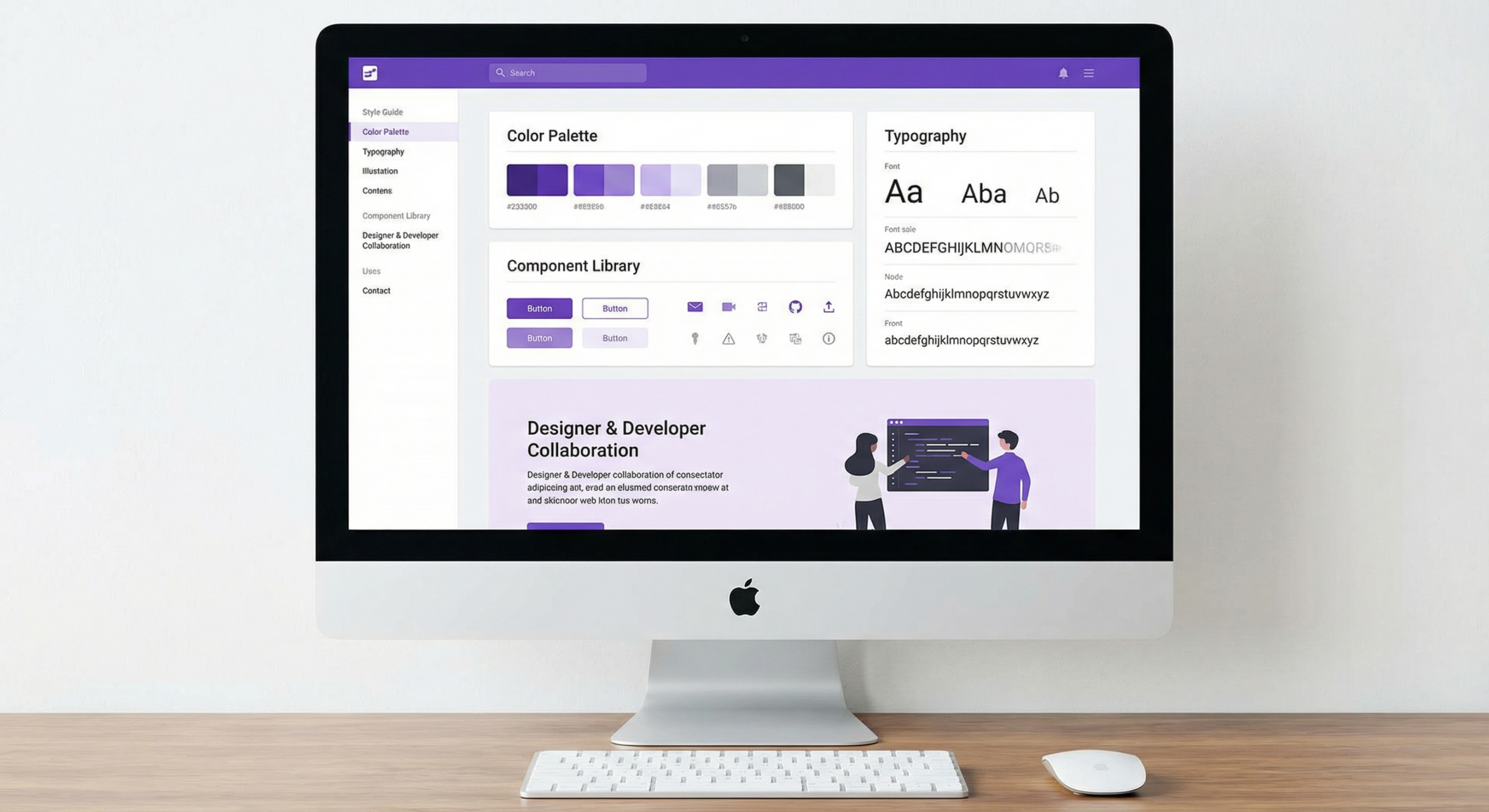
Design tokens are the named values that define your visual language: color, typography, spacing, border radius, elevation, and animation timing. Document every token with its name, value, and usage context. Distinguish semantic tokens from base tokens. A semantic token like color.text.primary communicates intent. A base token like color.blue.500 communicates only the raw value.
Show each token name alongside a visual preview. Include do and do-not use cases, and explain how semantic tokens behave in dark mode if your system supports theme switching.
Component Library With Usage Guidelines
Each component needs more than a visual preview. Document its purpose in one sentence, its variants, its interactive states (default, hover, focus, disabled, error), its accessibility requirements, and the contexts where it should not be used.
A component page without “when to use” and “when not to use” sections leaves too much interpretation to the person implementing it. That is where inconsistency starts.
Writing and Voice Guidelines
Design system documentation often stops at visual components and ignores the words inside them. This leaves different writers and product managers making independent decisions about button labels, error messages, empty states, and onboarding copy. The result is a product that feels inconsistent even when the visual design is perfectly implemented.
Include a section covering your brand voice, UI copy conventions, preferred terminology for common actions, and rules for capitalization and tone across product contexts.
How To Build Design System Documentation Step by Step
Building documentation for an existing product is different from building it for a new one. Most teams face the existing product scenario: inconsistent components, undocumented decisions, and tribal knowledge held by the people who built the product.
Step 1: Audit Your Existing UI Patterns
Before writing a single documentation page, audit what you have. Screenshot every distinct UI pattern and group them by component type. Count how many variations exist and identify which are intentional versus accidental inconsistencies.
This audit gives you a full inventory and a clear picture of the debt your design system needs to resolve. Start with your highest-frequency components: buttons, inputs, navigation, typography, and cards cover the majority of most products.
Step 2: Choose a Platform and Structure It Well
The best platform is the one your team will actually use. If your engineers already live in GitHub and Storybook, a Storybook-based docs site makes contribution frictionless. If your team includes non-technical contributors, a tool like Zeroheight or Notion lowers the barrier to keeping content current.
Regardless of platform, organize documentation by component type and user task, not by the team that created it. A page titled “Forms” is more useful than “Engineering Components.” Structure navigation so a new designer or engineer finds what they need within two clicks.
Design System Documentation Tools Compared
Here is how the leading documentation platforms compare for product teams maintaining a living style guide in 2026:
| Tool | Best For | Figma Integration | Code Integration | Free Plan | Learning Curve |
|---|---|---|---|---|---|
| Storybook | Engineering-led teams | Plugin (limited) | Native (React, Vue, etc.) | Yes (open source) | Medium |
| Zeroheight | Design-engineering bridge | Deep (Figma, Sketch) | Storybook embed | Free tier (limited) | Low |
| Supernova | Token-first teams | Deep (Figma) | Token export to code | Free tier | Medium |
| Notion | Cross-functional teams | Embed only | None (manual) | Yes | Low |
| GitBook | Developer-focused docs | None native | Git-based sync | Yes | Low |
| Confluence | Enterprise teams | Plugin available | None (manual) | No (paid) | Medium |
How To Keep Design System Documentation Alive
Documentation that no one updates becomes a liability rather than an asset. Teams stop trusting it. New hires stop consulting it. The system fragments as people work from different assumptions. Keeping documentation alive requires process, not just tools.
Establish a Contribution Model
Decide who owns documentation, who can contribute, and what the review process looks like. In smaller teams, a single design systems lead often owns it. In larger organizations, an open source-style model works well: anyone proposes changes, but a core team reviews and approves them before they merge.
Write the contribution process down and include it in the documentation itself. Teams that can see how to suggest a change are more likely to follow through.
Version Control and Changelogs
Track every change to your design system with a public changelog. Document what changed, why it changed, and how teams should update their implementations. Version your documentation alongside your component library so teams know which version their product runs on.
When a product manager asks why a component looks different in the latest build, a clear changelog entry is faster than a Slack thread.
Avoid These Design System Documentation Mistakes
Even well-intentioned documentation efforts fail when teams repeat the same avoidable errors at the start.
Building Documentation for Designers Only
Design system documentation often reads like it was written by designers for designers. Engineers find visual specs but no code guidance. Content writers find color palettes but no writing rules.
Treat your documentation as a product with multiple audiences. Write component pages useful to a developer, a product designer, a QA tester, and a content writer at once. Each audience needs different information, and good documentation serves all of them.
Letting Documentation Drift From the Codebase
The most common documentation failure is drift. The codebase moves and the documentation does not follow. New engineers implement what the code shows. New designers spec what the documentation shows. The product ships inconsistencies that neither team intended.
Make documentation updates part of your definition of done for every component change. Link documentation updates to the same pull request that changes the component. This keeps the two in sync without a separate documentation sprint each quarter.
Build Documentation That Works As Hard As Your Design System
A living style guide is not a project you finish. It is a practice you maintain. The teams that build the most useful documentation treat it the same way they treat their product: with clear ownership, regular updates, and a commitment to the people who rely on it every day.
Start with what you have, document your highest-frequency components first, choose a platform your whole team will use, and build contribution in from day one. A design system people trust is one of the highest-leverage investments a product team can make.
Frequently Asked Questions
What is design system documentation?
Design system documentation is the written record of your product’s UI components, design tokens, usage guidelines, and content standards. It tells designers, engineers, and content writers what components exist, how to use them, and when not to. Strong documentation turns a component library into a shared language for the whole product team.
What is the difference between a design system and a style guide?
A style guide is the documentation layer of a design system. The design system includes the actual components, design tokens, and code that make up the UI. The style guide documents how to use all of that. Some teams use the terms interchangeably, but the design system is the system itself and the style guide is the reference material that explains it.
What tools do product teams use for design system documentation?
The most widely used design system documentation tools in 2026 are Storybook for engineering-led teams, Zeroheight for bridging design and development, Supernova for token-heavy systems, and Notion or Confluence for cross-functional teams. The best tool is the one your whole team actually reads and contributes to.
How often should you update design system documentation?
Update documentation every time a component or token changes. Make documentation updates part of the definition of done for any system change. This eliminates dedicated documentation sprints and prevents drift between what the documentation says and what the codebase does.
What are design tokens in a design system?
Design tokens are named variables that store your visual design decisions: colors, font sizes, spacing values, border radii, and animation timing. They connect design tools to code. When you change a token, the change propagates to every component that references it without manual updates to each component individually.
How do you get engineers to use the design system documentation?
Make the documentation useful to engineers, not just designers. Include code examples, component API references, and semantic token names alongside visual specs. Host the documentation somewhere engineers already work, like a Storybook instance in the same repository as the component library. Reduce friction and engineers will use it.
What should a component documentation page include?
A component page should cover the component’s purpose, visual variants, interactive states, accessibility requirements, content constraints, and do and do-not use cases. Include a live preview and code examples. Add a changelog that records when and why the component changed so teams can track updates and adjust accordingly.